Flow2 for iPhone is here. Describe a video, and Flow2 builds you a vertical short video you can record in one or two takes and post the same day. No timeline, no separate editing app.
It is the same Flow2 idea, pointed at a new output. You already share a flow as a link. Now you can also perform it to camera and walk away with a finished video.
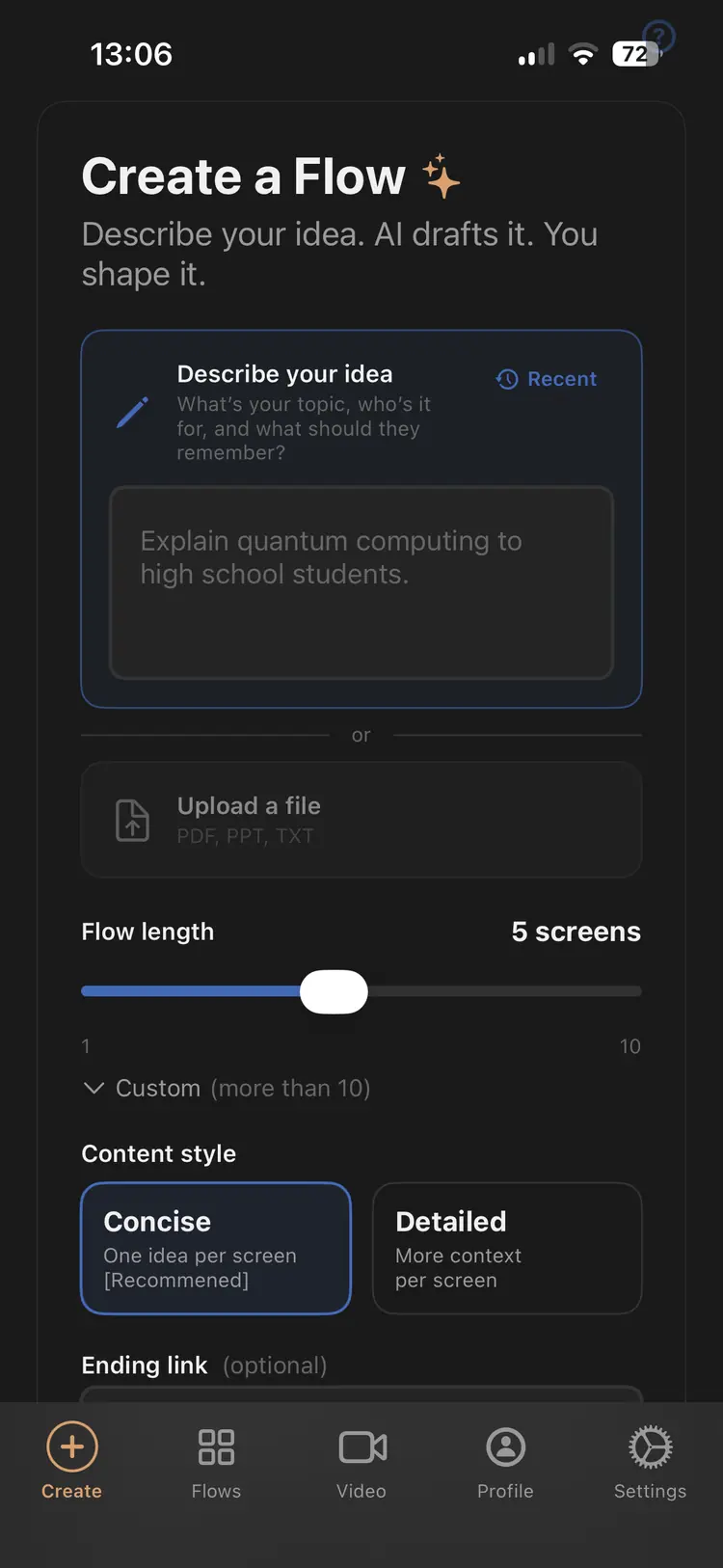
Describe it, and Flow2 builds the plan
You start the way you start any flow: type an idea, paste a URL, or drop in a document. Flow2's AI turns it into a vertical flow, what we call a Flowboard: the hook, the script, the scenes, the on-screen text, the camera direction, and the timing. It is the production blueprint for the video, built before you press record.
The flow is your teleprompter and your set
This is the part that feels different. When you record, the flow plays on screen as your teleprompter, and it is also the backdrop behind you. You read your lines and the scenes move with you. Record one take, or two. There is no timeline to fight and nothing to assemble afterward.
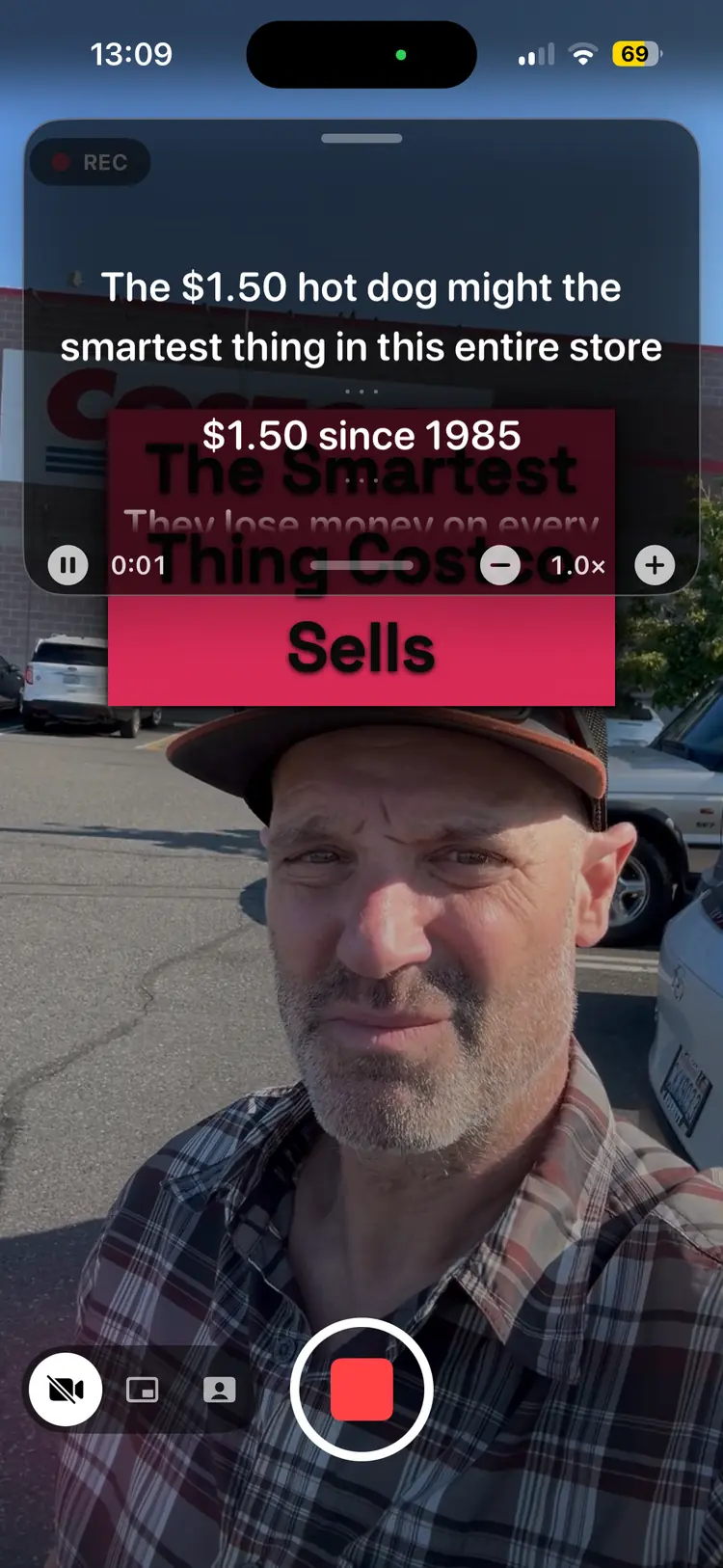
It renders on your phone and saves to Photos
When you are happy with a take, Flow2 renders the finished video right on your phone, at 1080x1920, and saves it straight to your Photos. From there it is ready for Reels, Shorts, and TikTok. Nothing uploads to a server to render.
One idea, two ways to share
Every flow can go out two ways. Share it as a link that opens full screen on any phone, with nothing to install, or record it as a video and post it to a feed. Same flow, same work, two formats. If you want the thinking behind the link format, read The Mobile Presentation.
How it works
- Prompt. Describe the video, or start from a document or URL.
- Practice. Set the timing, tweak the script, and pick your camera mode and movement.
- Perform. Record with the flow as your teleprompter and your set. One or two takes.
- Post. Export a vertical video that needs little or no editing, saved to your Photos.
Get it
Flow2 is free to start. Download it on iPhone and make your first video in about a minute.